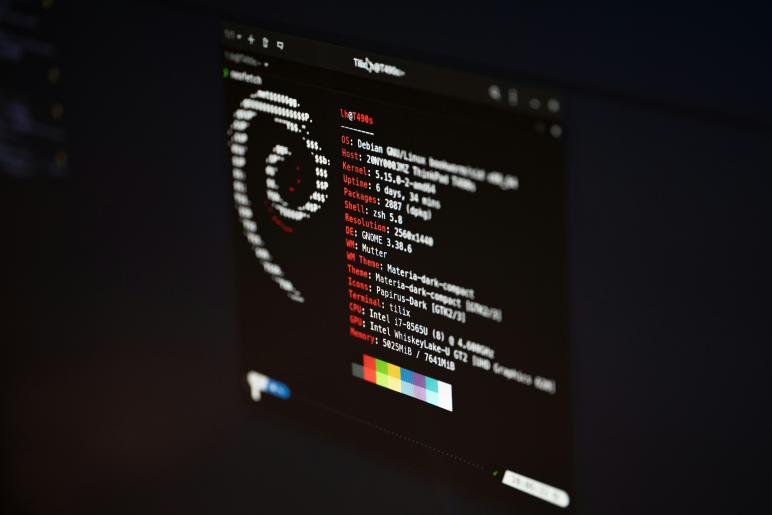
Choosing the right Linux distribution (or "distro") can feel like walking into a buffet with a thousand options. Some are built for absolute stability, others are finely tuned to squeeze every frame out of your gaming rig, and a few are designed to look exactly like the operating system you are trying to escape.
The Linux landscape has evolved significantly. With the rise of revolutionary gaming layers, immutable file systems, and next-gen desktop environments (like System76's Rust-based COSMIC desktop), there has never been a better time to make the switch.
Whether you are a complete newcomer, an avid gamer, or a seasoned developer, this curated breakdown of the best Linux distributions will help you find your perfect match.
1. Best for Beginners & Everyday Users
Linux Mint (Cinnamon Edition)
If you are asking around for the best Linux distro for beginners, Linux Mint is almost universally the first answer, and for good reason. It features a highly polished, familiar Windows-like interface right out of the box, requiring zero terminal knowledge to get productive.
-
Target Audience: Windows/macOS refugees, absolute beginners, older hardware.
-
Pros:
-
Familiar Layout: The Cinnamon desktop environment is intuitive for anyone used to a traditional start menu and taskbar.
-
No Snap Controversies: Unlike Ubuntu, Mint avoids forcing Snap packages, opting for traditional
.debfiles and Flatpaks. -
Out-of-the-Box Media Support: Comes pre-packaged with essential media codecs and drivers.
-
-
Cons:
-
Conservative Updates: Because it favors stability, you won’t get the absolute latest software features immediately.
-
Ubuntu (24.04 LTS)
Ubuntu remains the gold standard and the most widely recognized name in the Linux world. If you want a massive community to back you up when things go wrong, Ubuntu is your safest bet.
-
Target Audience: Beginners, corporate workstations, enterprise servers.
-
Pros:
-
Massive Support Ecosystem: If a piece of software exists for Linux, it is guaranteed to have an Ubuntu installer.
-
Commercial Backing: Developed by Canonical, ensuring long-term security updates and institutional stability.
-
-
Cons:
-
Heavy Reliance on Snaps: Canonical aggressively pushes its proprietary-backend "Snap" package ecosystem, which can cause slower app launch times.
-
2. Best for Gaming & Peak Performance
The days of Linux gaming being a joke are long gone. Thanks to Valve's Proton compatibility layer, Linux is now a premiere gaming platform.
CachyOS
An absolute darling of the Linux community, CachyOS has dominated popularity charts. It is an Arch-based distribution optimized heavily for raw speed, compiler optimizations, and gaming performance.
-
Target Audience: Gamers wanting maximum FPS, intermediate to advanced users.
-
Pros:
-
Incredible Speed: Uses custom-compiled packages optimized for modern CPU architectures (x86-64-v3 and v4).
-
Gaming-Ready: Steam, Proton, Wine, and NVIDIA/AMD drivers can be fully configured via a simple graphical installer.
-
Kernel Optimizations: Ships with heavily tweaked kernels built for lower latency.
-
-
Cons:
-
Arch-Based Learning Curve: It uses a rolling-release model, meaning frequent updates that can occasionally require manual intervention.
-
Bazzite
Bazzite is an immutable, gaming-focused distribution built on top of Fedora. Think of it as turning your PC into a Steam Deck. It is designed to be completely un-brickable while offering a console-like experience.
-
Target Audience: Steam Deck owners, HTPC/living room setups, and gamers who want a hands-off console experience.
-
Pros:
-
Atomic/Immutable Architecture: The core system is read-only. Updates are installed as an "image," meaning your system will virtually never break.
-
SteamOS Clone: Boot directly into Steam Big Picture mode with perfect controller navigation.
-
Pre-optimized: Comes with MangoHUD, vkBasalt, and ProtonGE pre-installed.
-
-
Cons:
-
Restricted Workstation Use: Because it is immutable, installing non-gaming, traditional desktop apps requires learning a tool called
distroboxor relying entirely on Flatpaks.
-
3. Best for Developers & Power Users
Fedora Workstation
Fedora is Red Hat’s community-sponsored distribution. It is widely considered the best Linux for programming because it strikes a flawless balance between cutting-edge software and rock-solid stability.
-
Target Audience: Software engineers, system administrators, open-source purists.
-
Pros:
-
Upstream Innovator: Fedora implements new Linux technologies (like Wayland, PipeWire, and the new COSMIC desktop) way before other major distros.
-
Clean GNOME Experience: Delivers a stock, modern desktop workspace layout that maximizes keyboard-driven productivity.
-
-
Cons:
-
Strict Open-Source Focus: Proprietary software (like multimedia codecs or NVIDIA drivers) requires enabling third-party repositories manually during setup.
-
Debian Stable
If you value uptime above all else, Debian is your answer. It is the bedrock upon which Ubuntu and Mint are built. Its release cycle is slow, but that is because every single package is thoroughly vetted for bugs.
-
Target Audience: Sysadmins, server deployments, users who hate system updates breaking their workflow.
-
Pros:
-
Unrivaled Stability: It is practically indestructible under normal conditions.
-
Massive Repository: Access to over 60,000 pre-compiled software packages.
-
-
Cons:
-
Ancient Software: Packages can be years out of date. It is terrible for brand-new PC hardware or cutting-edge gaming.
-
4. Best for Ultimate Customization
Arch Linux
Arch Linux is not just an operating system; it's a rite of passage. It follows a "Do It Yourself" philosophy where you start with a blank terminal screen and build your system package by package.
-
Target Audience: Experts, Linux enthusiasts, users who want full control.
-
Pros:
-
The AUR (Arch User Repository): A community-driven repository where you can find literally any software package in existence.
-
The Arch Wiki: The single greatest piece of documentation in the entire tech industry.
-
No Bloat: You only install exactly what you need.
-
-
Cons:
-
Difficult Installation: While the
archinstallscript has made it easier, it still requires a deep understanding of how a Linux system operates.
-
Omarchy
Created by Ruby on Rails founder David Heinemeier Hansson (DHH), Omarchy takes the raw customizability of Arch Linux and the fluid Hyprland tiling window manager and wraps them in a stunning, pre-configured ecosystem. It is designed to bypass the weeks of manual configuration usually required to get a gorgeous tiling workspace.
-
Target Audience: Visual-oriented developers, keyboard-driven power users, and anyone who wants an incredible "riced" aesthetic right out of the box.
-
Pros:
-
Instant High-End Aesthetics: Features around 20 hot-swappable, curated themes that beautifully skin your desktop, terminal, top bar, and notifications simultaneously.
-
Developer-First Ecosystem: Packed with modern tooling like Neovim, unified clipboard shortcuts (making the transition from macOS smooth), and deep AI agent integration (like Claude Code).
-
Fluid Window Tiling: Leverages Wayland-based Hyprland for incredibly fast, visually smooth window management.
-
-
Cons:
-
Extremely Opinionated: It follows a strict "omakase" style. If you don't care for DHH's specific script configurations and software choices, you will spend a lot of time overriding them.
-
Security Scepticism: The community has noted that its heavy use of custom bash scripts and loose default SSH configurations requires a bit of manual auditing if you are security-conscious.
-
At-a-Glance Comparison
| Linux Distribution | Core Base | Best For | Release Model | Skill Level |
| Linux Mint | Ubuntu/Debian | Beginners & Windows switchers | Point Release | Beginner |
| Ubuntu | Debian | General Workstations & Servers | LTS (Every 2 Years) | Beginner |
| CachyOS | Arch | Maximum Gaming FPS | Rolling Release | Intermediate |
| Bazzite | Fedora | Console Experience / Handhelds | Immutable Image | Beginner to Intermediate |
| Fedora | Independent | Programming & Dev Work | Every 6 Months | Intermediate |
| Debian | Independent | Servers & Critical Stability | Point Release (Slow) | Intermediate to Advanced |
| Arch Linux | Independent | Customizability & Learning | Rolling Release | Expert |
| Omarchy | Arch | Out-of-the-Box Tiling & Developer Aesthetic | Rolling Release | Intermediate to Advanced |
The Golden Rule of Distro Hopping: Don't stress too much about finding the "perfect" choice on day one. Because Linux is modular, you can make Mint look like Arch, or install Fedora's development tools on Ubuntu. Pick the distro that aligns with your current skill level, flash it to a USB drive, and start exploring!